NightNudge: Stay awake during night feeds.
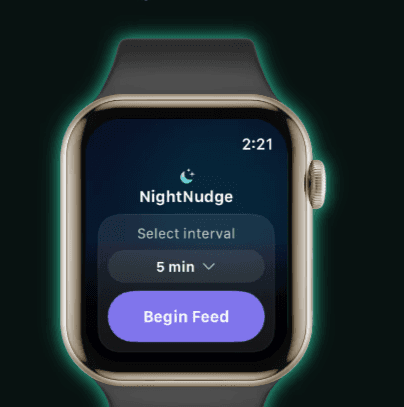
NightNudge: Now Live on the App Store
Stay awake during night feeds.
Gentle haptic nudges on your Apple Watch or iPhone so you don’t fall asleep holding your newborn.
Patent-pending. Originally for Apple Watch, now on iPhone. Android coming soon.
Please email hello@nightnudge.com for any support or questions!
Now Live on the App Store for Watch and iPhones.
Android coming November 2026: join waitlist below.
Gentle haptics help parents of newborns stay alert, with escalating alerts if you don’t respond. Made by a mom.
Originally on Apple Watch, now on the iPhone.
Android coming soon: join our email waitlist below.
Middle-of-the-night feeds are exhausting.
When you’re holding your newborn at 3am, even a few seconds of drifting off can feel terrifying.
NightNudge exists for that moment.
Middle-of-the-night feeds are exhausting.
When you’re holding your newborn at 3am,
even a few seconds of drifting off
can feel terrifying.
NightNudge exists for that moment.
How It Works
How It Works
Gentle structure to help nudge you awake during night feeds.
Gentle structure to help nudge you awake during night feeds.
Start Your Session
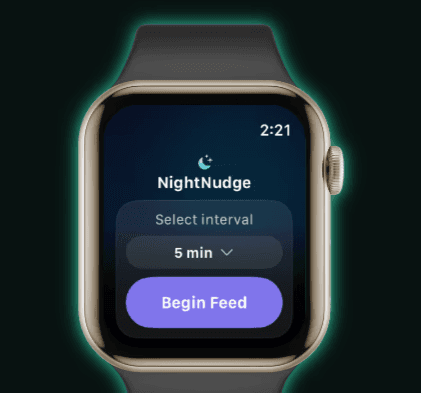
Tap "Start Session" on your device
Choose your check-in interval
Relax and focus on your baby
Start Your Session
Tap "Start Session" on your device
Choose your check-in interval
Relax and focus on your baby
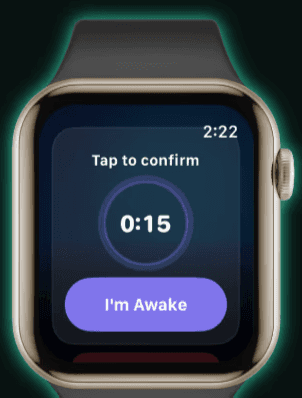
Tap to Respond
Your device vibrates at your selected interval
Quick, gentle haptic check-ins
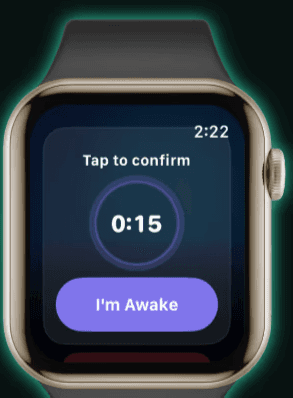
You tap "Stay Awake" to confirm you are still awake
Tap to Respond
Your device vibrates at your selected interval
Quick, gentle haptic check-ins
You tap "Stay Awake" to confirm you are still awake
Smart Esclalation
If you don't respond, haptics intensify
Designed to prevent drifting off
Reset instantly with "I'm awake"
Smart Esclalation
If you don't respond, haptics intensify
Designed to prevent drifting off
Reset instantly with "I'm awake"
For feedback or support, please reach out at hello@nightnudge.com
If the app does not automatically appear on your paired Watch after downloading from the iPhone App Store, go to the Apple Watch App Store -> Scroll down to Account -> Purchased -> NightNudge and press the Sync icon.
You may also search directly from the App Store on your watch.
For feedback or support, please reach out at hello@nightnudge.com